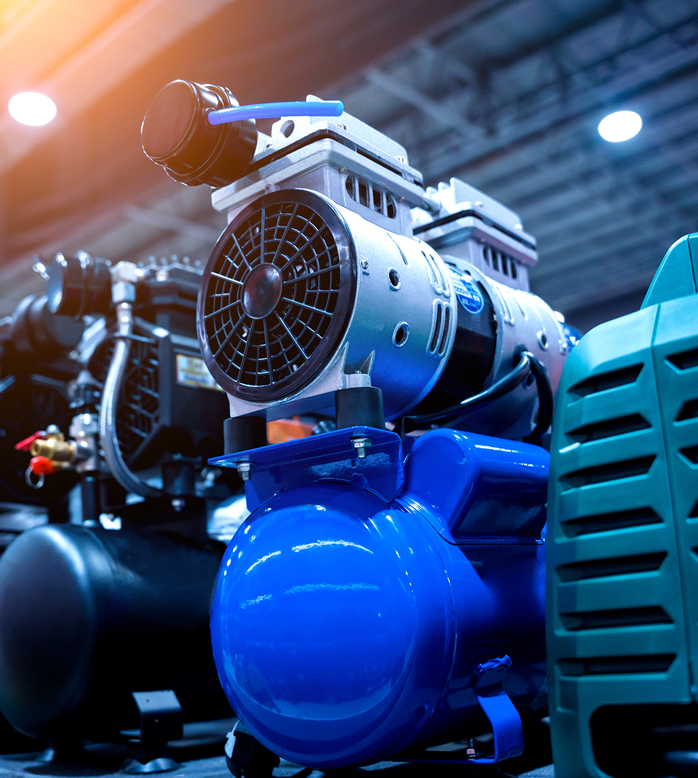


When summer arrives, air coolers become a lifeline for many households and offices. At the heart of every cooler lies its motor, which powers the fan and ensures smooth airflow. Just like any other machine, cooler motors need proper care and cleaning to function efficiently. If ignored, dirt and dust can clog the motor, reduce performance, and even lead to permanent damage. The good news is that you can clean your cooler motor at home with the right approach. Whether you have a standard motor or one purchased from OEM Motors Suppliers, following safe cleaning methods ensures your cooler runs longer and more effectively.
Why Cleaning Your Cooler Motor is Important
The cooler motor is the backbone of your cooling unit. Over time, dust, grease, and dirt accumulate inside and around it. This buildup can:
- Slow down the motor’s speed.
- Increase power consumption.
- Cause overheating.
- Shorten the motor’s lifespan.
Regular cleaning not only boosts performance but also prevents costly repairs. It also helps keep the air fresh, reducing the circulation of dust particles indoors.
Safety First: Things to Keep in Mind Before Cleaning
- Turn Off and Unplug the Cooler – Make sure your cooler is disconnected from the power supply. This will prevent any risk of electric shock.
- Use the Right Tools – Avoid harsh chemicals or abrasive materials that can damage the motor. Use a soft cloth, small brush, blower, and mild cleaning agents.
- Handle with Care – Cooler motors are sensitive. Too much force while cleaning can damage the wiring or bearings.
Step-by-Step Guide to Cleaning Your Cooler Motor
-
Remove the Cooler Panels
Start by opening the cooler panels carefully. This will give you access to the inside parts, including the motor and fan. Make sure you place the screws and parts in a safe spot to avoid losing them.
-
Clean the Exterior of the Motor
Take a dry, soft cloth and wipe the outer surface of the motor. This removes the layer of dust sitting on it. For stubborn dirt, use a slightly damp cloth but ensure no water enters the motor.
-
Use a Blower or Vacuum
A blower or handheld vacuum cleaner works wonders to clear fine dust particles lodged in hard-to-reach areas. Keep the nozzle at a safe distance to avoid direct impact on delicate motor parts.
-
Clean the Fan Blades
While cleaning the motor, don’t forget the fan blades. Dusty blades put extra load on the motor, making it work harder. Use a mild detergent solution, wipe them clean, and let them dry completely before reassembling.
-
Lubricate the Bearings
Most cooler motors have small bearings that allow smooth rotation. After cleaning, add a few drops of machine oil or recommended lubricant to the bearings. This reduces friction, prevents overheating, and ensures the motor runs quietly.
-
Inspect the Wires and Connections
Check for loose or damaged wires around the motor. If you notice any fraying or burns, it’s best to call a professional technician for repair. Cleaning is important, but electrical safety is even more critical.
-
Allow the Motor to Dry
If you’ve used any damp cloths during the process, ensure the motor is fully dry before reconnecting it. Moisture inside a motor can cause short circuits. Leave the cooler open for at least an hour to air-dry.
-
Reassemble and Test
Once everything is clean and dry, carefully reassemble the cooler panels. Plug in the cooler and run it for a few minutes. You should notice smoother airflow and quieter operation.
Common Mistakes to Avoid While Cleaning
- Using too much water – Never pour water directly on the motor. This can instantly damage its components.
- Skipping lubrication – Dry bearings strain the motor, leading to faster wear and tear.
- Forcing parts open – If you struggle to remove panels or screws, don’t apply too much force. Use the right tools or seek professional help.
- Ignoring manufacturer’s instructions – Motors from Suppliers or other brands may have unique cleaning guidelines. Ignoring them could void your warranty.
How Often Should You Clean Your Cooler Motor?
For best results, clean your cooler motor once every season before you start using it regularly. If you live in a dusty area, consider light cleaning every month. Regular upkeep extends the life of your cooler and ensures it runs at peak efficiency throughout the summer.
Conclusion
Cleaning your cooler motor may sound like a technical job, but with patience and the right steps, anyone can do it safely. A well-maintained motor not only makes your cooler last longer but also saves energy and reduces repair costs. Just remember to prioritize safety, use proper tools, and avoid water contact with electrical parts. Whether your motor is factory-fitted or purchased from suppliers, regular cleaning and care can make all the difference.